If you’re evaluating the best AI tools for logo design, my advice is simple: don’t judge them by how pretty the first concept looks. Judge them by how fast they help you get to a logo that still works on a pitch deck, favicon, merch mockup, packaging, and trademark review.
I’ve worked on enough logo systems to know that speed alone is not the win. The real win is getting usable concepts faster without locking your brand into generic shapes, weak ownership terms, or files that break the moment you need print-ready output.
That’s why this guide focuses on the best AI logo design tools for founders, marketers, and operators who care about speed, cost, and brand quality at the same time.
Key Takeaways:
- AI Logo Tools Speed up the Process: These tools help you get a usable logo in minutes to hours, ideal for startups or MVP launches.
- Customization is Crucial: While AI tools are fast, always refine and review the generated logos for originality and fit with your brand.
- AI Is a Good First Step: AI tools are perfect for initial concepts, but expert designers are needed when trademark defensibility, packaging, and long-term brand strategy are at stake.
- Cost-Effective for Early Stages: For early-stage brands, AI tools offer a budget-friendly option compared to traditional agencies or in-house teams.
- Workflow Integration is Key: AI logo tools integrate well into your existing workflow, making it easier to generate, refine, and export logos.
- Choose Based on Brand Needs: Whether you’re a startup, an enterprise, or need a quick logo for a side project, AI tools can fit into different stages of your design journey.
What Are AI Logo Design Tools and How Do They Work?
AI logo generators use a mix of prompt-based generation, templates, trained design patterns, icon libraries, and automated layout logic to turn a brand name, industry, and style preference into logo concepts. In practical terms, they shorten the messy middle: the “blank canvas” stage where early options take the most time. The strongest AI logo design tools also bundle file exports, brand kits, social assets, and editable templates so teams can move from idea to launch faster.
Can AI Really Replace Human Designers?
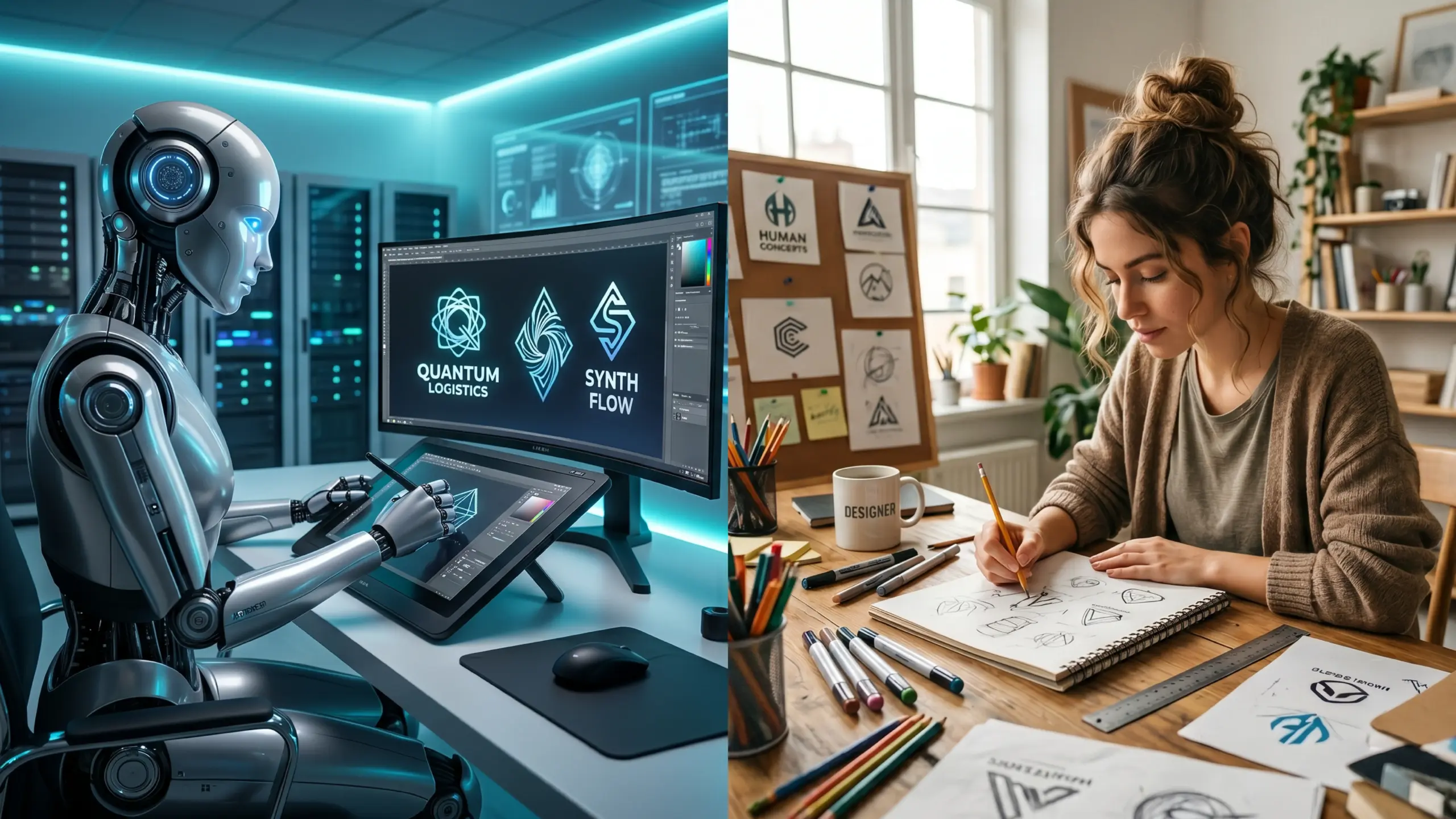
No, not fully. AI can replace repetitive exploration, but it does not replace brand judgment. Kate Kaplan of Nielsen Norman Group puts it well: “Brand is not made of visuals or words alone, it’s not a logo or a slogan.” That matters because many AI tools are strong at symbols and layouts but weak at deeper positioning, differentiation, and emotional meaning. Dan Pallotta made a similar point years ago in Harvard Business Review: many organizations think a new icon or visual refresh is a new brand. It isn’t. A logo is one output of strategy, not the strategy itself. Here’s how I frame the AI vs. human creativity debate:
- AI wins on speed, variation count, affordability, and first-draft exploration
- Humans win on originality, storytelling, market context, and brand system thinking
- Hybrid wins overall when AI creates the starting field and a designer shapes the final identity
When AI Works Best
AI is most useful when you need:
- early-stage concept generation
- a quick MVP brand for a launch
- low-cost logo exploration across multiple directions
- rapid visual testing before hiring a designer
- social-ready brand assets for a small team
Key Technologies behind AI Logo Generators
Machine Learning
Most tools learn from large sets of existing design patterns, allowing them to recommend layouts, icon directions, typography pairings, and color systems based on industry inputs and user choices.
Generative AI and Templates
The best tools in this category are not purely from scratch. They usually combine AI prompting with reusable visual systems. Canva, for example, supports prompt-based generation, reference-image guidance, multiple visual styles, and editable export workflows rather than just spitting out one locked result.
Automation vs. Customization
Automation is why AI logo tools are fast. Customization is where many of them start to thin out. Some tools let you swap fonts, icons, and palettes easily; fewer let you deeply rebuild proportion, spacing, visual tension, or concept logic. That tradeoff is the core issue behind most top AI tools for logo design decisions.
Top 7 Best AI Tools for Logo Design (2026 Comparison)
Here’s a quick comparison table of more than 5 best logo design services to help you make the best decision:
| Tool | Pricing snapshot | Standout strength | Output notes | Best for |
|---|---|---|---|---|
| Canva AI Logo Maker | Free plan available; Canva Free allows up to 20 Premium AI uses/month | Fast prompt-based concepting inside a full design suite | JPG, PNG, PDF export; collaborative editing | Teams that want design + brand assets in one place |
| Looka | $20 Basic logo package; $65 Premium logo package | Balanced logo + brand kit workflow | PNG, EPS, SVG, PDF; brand kit available | Founders who want one purchase path into identity assets |
| LogoAI | $29 Basic, $59 Pro, $99 Brand | Affordable print-ready upgrade path | Basic for web/social; Pro for print; Brand for fuller assets | Budget-conscious startups |
| Wix Logo Maker | Plan-based | Logo + branded online presence | PNG in Basic; SVG in Advanced; Brand Kit in higher tiers | Businesses already in Wix ecosystem |
| Tailor Brands | Subscription-style ecosystem | Broader business-building bundle | Logo editor, brand book, business cards, site tools | Side-hustlers and small business owners |
| Brandmark | $35 Basic, $95 Designer, $195 Enterprise | Strong branding asset depth | PNG/vector, source files, guidelines, revisions | Solo founders wanting more than just a logo |
| Hatchful by Shopify | Free | Best free option for e-commerce-first founders | High-res PNG and SVG; social/print/web ready | Shopify sellers and quick-launch brands |
How to Choose the Right AI Logo Tool (Decision Framework)
Scalability and Brand Consistency
If you run multiple brands, sub-brands, or partner campaigns, don’t just compare logo outputs. Compare system outputs. Looka, Tailor Brands, Brandmark, and Wix all extend beyond the logo into business cards, social assets, guidelines, or branded site components. That matters more than most buyers realize. A logo that looks good once but cannot scale consistently across teams is expensive later.
Output Quality: Vector, File Types, Resolution
If you need signage, packaging, or merch, prioritize SVG, EPS, PDF, or source files. Looka includes high-res PNG, EPS, SVG, and PDF in its Premium package. Wix states SVG is available in Advanced. Brandmark includes vector and source files in higher tiers. Shopify provides high-resolution PNG and SVG. If a tool only gives you small PNGs, it is not really production-ready. Looka Wix Brandmark Shopify
Customization vs. Template Limitations
This is where most buyers get caught. Fast tools often simplify too aggressively. If your logo must carry positioning, differentiation, and a long shelf life, AI should probably be your first-pass engine, not your final decision-maker. If you need deeper strategic help, a human-led logo design consultation is the right next step.
Comparing the Cost and ROI of AI Logo Design vs Freelancers vs Agencies
When deciding between AI logo tools, freelancers, agencies, or in-house teams, understanding the cost, time to first concepts, and the quality trade-offs is crucial. Below is a breakdown of how these options compare, helping you make the best choice based on your brand’s needs and resources.
| Route | Typical Cost | Time to First Concepts | Best For | Tradeoff |
|---|---|---|---|---|
| AI logo tool | $0–$150 | Minutes to hours | MVP launches, testing, early-stage brands | Lower originality ceiling |
| Entry freelancer | $150–$800 | Days | Light custom work | Quality varies widely |
| Experienced freelancer | $800–$2,500 | 1–3 weeks | Better craft and collaboration | Still depends on brief quality |
| Agency | $2,500–$10,000+ | Several weeks | Strategy-led identity systems | Higher cost, slower |
| In-house designer | $60K–$120K+/year loaded cost | Ongoing | Brands with constant creative demand | Salary + management overhead |
The cost breakdown is based on data from leading design platforms such as Looka and 99designs. These insights can help you determine the most cost-effective option for your brand’s design needs.
Time-to-market comparison
- AI tool: same day
- Freelancer: same week to a few weeks
- Agency: multi-week process with discovery and refinements
- In-house: best for ongoing design velocity, not just one logo
That is why the best AI tools for logo design 2026 conversation is really about ROI, not novelty. If you need a professional-enough brand in 24 hours, AI wins. If you need distinctiveness that survives growth, AI alone rarely wins.
Hidden Costs and Risks
Cheap logos can create expensive clean-up. The common hidden costs are:
- redrawing low-quality files
- trademark screening later
- Rebranding when the logo feels generic
- inconsistent asset usage across teams
- designer time spent fixing AI output
That last point is why, in practice, the hybrid model often gives the best return.
Integration: How AI Logo Tools Can Fit Into Your Workflow
AI logo tools can seamlessly integrate into your design process, but they work best when viewed as a component of a broader workflow, rather than a one-stop solution. Here’s how you can incorporate them into your existing workflow:
Typical Workflow for AI Logo Tools
- Brand Brief: Start by defining your brand’s mission, values, and goals.
- AI Concept Generation: Use the tool to generate logo concepts based on your brief.
- Shortlist 3–5 Directions: Narrow down the AI-generated logos to your preferred choices.
- Human Review for Originality + Fit: A human designer reviews the shortlist to ensure the design aligns with brand identity and originality.
- Vector/Export Package: Finalize the design and export the necessary files (e.g., vector formats for scalability).
- Trademark and Ownership Check: Ensure the logo is unique and legally available for use.
- Rollout into Website, Social, Deck, Packaging: Implement the logo across various touchpoints like your website, social media, marketing materials, and product packaging.
API and Automation Capabilities
While not all AI logo tools offer robust APIs for logo creation, many provide automation features that make integration easier within your workflow. For example:
- Tailor Brands extends beyond logo creation into digital business cards, websites, and merchandise.
- Looka allows for generating a full brand kit, including assets for various marketing needs.
- Canva supports collaboration, cloud storage, and design across a range of marketing formats.
Compatibility with Design Tools
AI logo tools also vary in their compatibility with other design platforms. Here’s how they integrate with popular tools:
- Canva is best for in-editor marketing workflows, making it ideal for creating visuals across digital and print formats.
- Looka and Brandmark excel at providing packaged exports and brand starter assets.
- Wix shines when your focus is on website deployment, offering seamless integration.
- Shopify is perfect for ecommerce sellers looking to quickly integrate a logo across storefront touchpoints.
Let’s Collaborate
AI tools can get you far, but human touch brings it all together. Let’s work together to fine-tune your design.
Risks and Limitations of AI Logo Design
Warning box: AI can accelerate logo creation, but it does not remove legal, strategic, or originality risk, which is why big brands still hire designers rather than AI tools. It only moves those risks earlier and faster if you are not careful. Here’s the list of some common risks and limitations you can come across when designing your logo with AI:
Licensing and Ownership Issues
This is the biggest logo design mistake I see. Canva explicitly says that if you generate a logo for commercial use, you may not have exclusive rights, and it does not guarantee the logo is cleared for use. That alone should stop any founder from treating AI output as legally “done” without review.
Trademark and Originality Risks
Shel Perkins of AIGA explains the issue cleanly: “Copyright is about originality.” He also warns that when you design branding assets, you must be aware that your designs could infringe someone else’s trademark rights even if you did not intentionally copy them. The USPTO adds the legal standard founders should remember: “It’s important to have a strong trademark that is inherently distinctive.” Generic or descriptive marks are harder and costlier to defend.
Brand Differentiation Challenges
AI learns from existing visual patterns. That makes it efficient, but it also increases the risk of category sameness. If ten SaaS tools pull from the same clean sans-serif plus abstract spark icon logic, none of them truly stand out. That is why, in client work and in the broader thinking you see from teams like Logo Design Valley, the strongest outcome is usually AI for exploration and humans for distinctiveness.
Quick Checklist Before You Approve an AI Logo
Image Reference: Checklist Infographic of questions below, To-do list style This checklist helps you avoid the common risks and challenges associated with an AI logo design:
- Does it export in vector format?
- Does it still work in one color?
- Does it look too similar to competitors?
- Is the brand name readable at small sizes?
- Have you checked ownership terms?
- Have you done a trademark screen?
Book a Strategy Call to Perfect Your Logo
Need expert advice on your logo or brand identity? Let’s discuss your vision and refine your logo strategy together.
How Fast Can You Create a Professional Logo with AI?
AI tools can deliver professional logos in a fraction of the time it takes traditional methods. The timeline below highlights realistic expectations for different stages of a brand’s development:
| Stage | Timeline | Details |
|---|---|---|
| Startup MVP Logo | 30 minutes → 4 hours | Quick logo creation for early-stage brands or MVP launches. |
| Seed-Stage Refinement | 1 day → 3 days | Refining and customizing the logo as the brand evolves. |
| Enterprise-Ready Mark | 1 week+ (including legal/design review) | Full review process to ensure brand defensibility and compliance. |
Realistic Timelines: Startup vs. Enterprise
For startups, getting a usable logo can take as little as one afternoon using tools like Canva, Shopify, Looka, or LogoAI. These tools are fast and efficient for creating logos that can support MVP launches, landing pages, or early-stage branding. For enterprises, the process will be more complex. Brands with legal exposure, multiple sub-brands, packaging requirements, or distribution across multiple channels should view AI as just the first step in the design process. This is where expert input becomes necessary to ensure a polished, legally-compliant, and market-ready brand identity.
When AI Is Enough vs. When You Need Experts
AI is sufficient for:
- Test brands
- Landing pages
- Internal tools
- Side projects
- Early-stage ecommerce launches
Experts are necessary when:
- Brand differentiation and uniqueness are critical
- Trademark defensibility is needed
- Packaging systems require precision
- Investor perception or long-term brand longevity matters
AI Logo Design vs Professional Agencies: Which Should You Choose?
| Option | Strengths | Weaknesses | Best fit |
|---|---|---|---|
| AI tools | Speed, low cost, fast testing | Generic outcomes, legal ambiguity, less strategy | MVPs, lean launches |
| Agencies | Research, originality, brand strategy, robust systems | Higher cost, slower process | Funded brands, complex categories |
| Hybrid approach | Fast ideation + expert refinement | Requires a second step | Best overall for most serious brands |
This is where I land every time: AI is great for acceleration, agencies are great for differentiation, and the hybrid model is the most practical choice for brands that want both speed and trust.
Want a Trademark-Ready Logo?
Ensure your logo is legally safe and ready for branding. Book a consultation with our design experts.
Final Verdict: Are AI Logo Tools Worth It in 2026?
Yes, the best AI tools for logo design are worth using in 2026, if you use them as accelerators, not as an unquestioned final authority. For startups, solo founders, and rapid product launches, the best free and paid AI logo tools can save serious time and money. Shopify and Canva are excellent low-friction starting points. Looka, Brandmark, and LogoAI are stronger when you want packaged assets. Tailor Brands and Wix make the most sense when logo creation is part of a larger business-launch workflow.
But if you are building a deeper identity, the kind that has to earn trust with customers, investors, or enterprise buyers, AI alone is usually not enough. The smartest move is a hybrid path: use AI for speed, then bring in expert judgment before rollout.
Ready to Build Your Brand’s Identity?
Your logo is just the beginning. Let’s create a comprehensive brand identity that stands out and lasts.
Author Bio

 verified expert
Duaa writes blogs about marketing, branding, web design, and logo design. She enjoys turning ideas into simple, engaging content that helps businesses build stronger brands and connect with their audience in a more meaningful way.
Still choosing the right logo design company?
Get a quick, expert review. No pitch, just clarity on what fits your stage, budget, and growth.